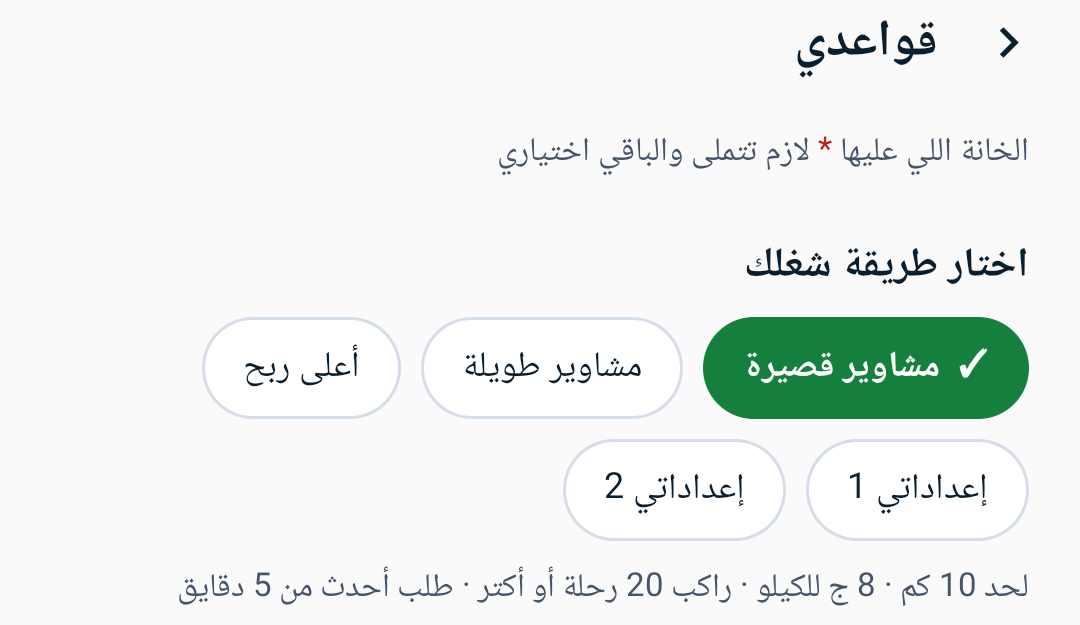
Write your rules
Your price per km, the farthest pickup you accept, the lowest rider rating and fewest trips. You can also set areas to avoid and areas you prefer.
Captain Aetos · How it works
You write your rules once and drive as usual. It reads every request and tells you what it thinks.
Your price per km, the farthest pickup you accept, the lowest rider rating and fewest trips. You can also set areas to avoid and areas you prefer.
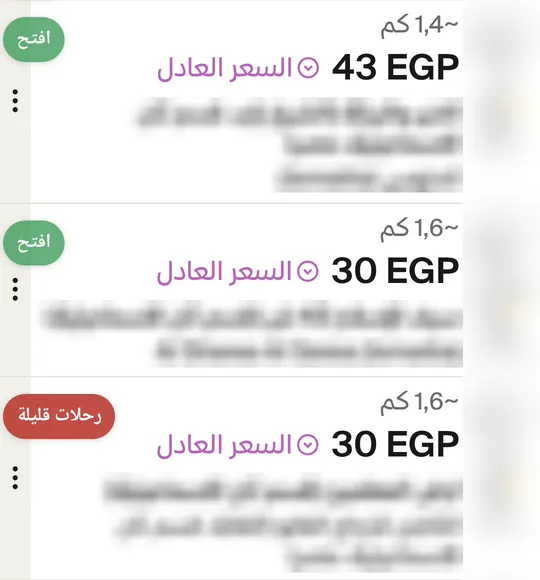
Open the ride app. Next to each request on the list, a small tag gives the reason in words when it breaks one of your rules.
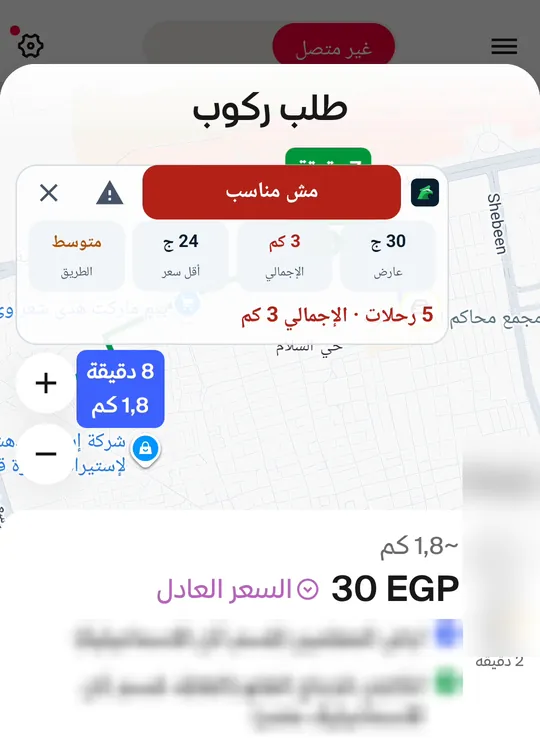
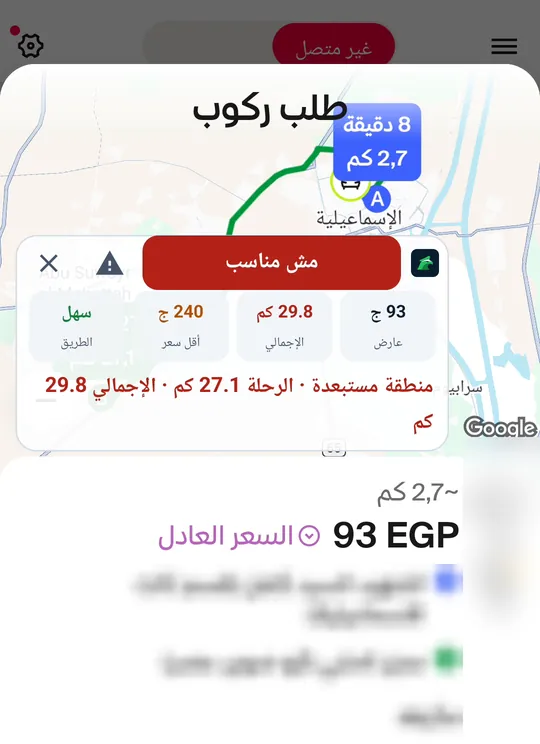
A bar over the request shows the whole distance, your lowest fair fare, the road and one word in a clear colour.
A video from a captain's phone in Ismailia with riders' names and photos hidden. Egyptian Arabic voice.
The request meets your rules and the fare covers your price on the whole distance. If the offer is a little low, it tells you what to counter with.
Think first. A rule could not be read or needs your own look before you decide.
One of your rules is broken and the reason is written under the bar.
The app couldn't read enough to judge, so it doesn't guess.
Lowest fare = your price per km × the whole distance
The whole distance runs from where you are to the rider and from the rider to the drop-off, because the pickup drive is fuel from your pocket that nobody pays for. That's why no flat amount decides a request.
 inDriveAvailable now
 DiDiAvailable now
 UberAvailable now
Names and logos belong to their owners and only show which app is read. Captain Aetos is independent of them.

A tag next to every request on the list and a full verdict inside the request, with the road read from the map

Reads the request window itself over the map and judges only the rules whose data it shows

Reads the offer card and judges minutes, pickup distance and payment type by your rules
More ride-hailing apps are coming soon.
Android's accessibility service lets it read the request on screen. The app explains this and asks for your consent first.
So the small bar can show over the request
One notification that says whether the reader is on, with a stop button

Try every feature free for 7 days, then decide